
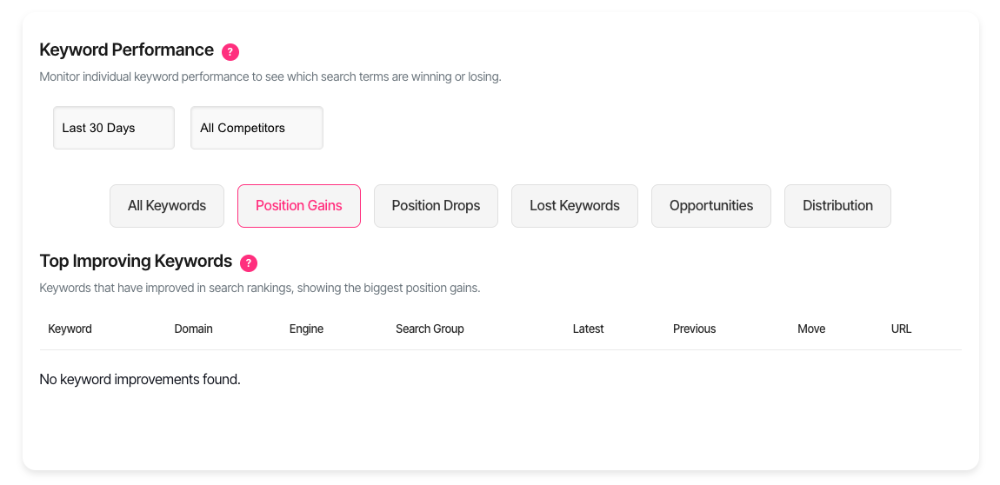
Top Improving Keywords
Improving keywords are search terms where your rankings moved up. These keywords show your SEO progress in action.
The Top Improving Keywords table highlights your biggest wins. You'll see which keywords jumped positions and by how much.
Why improving keywords matter
Rising rankings mean more visibility. Better positions drive more organic traffic to your site.
Tracking improvements shows which content strategies work. You'll identify what Google rewards so you can replicate success.
Find improving keywords
Navigate to the Keywords section in your dashboard. Look for the Position Gains button.
Click to open the table. You'll see your best-performing keywords from recent checks.
Read the table
The table displays up to 10 keywords. These are your biggest ranking improvements from the latest data.
Keyword
The search term you're tracking. This is what users type into search engines.
Domain
Which of your websites ranks for this keyword. Helpful when you manage multiple domains.
Engine
The search engine where the improvement happened. You'll see Google, Bing, or Yahoo icons.
Different engines rank sites differently. An improvement on Google matters most for traffic volume.
Search group
The project or domain set this keyword belongs to. This helps you organise results by search configuration, campaign or client.
Latest
Your current ranking position. Lower numbers are better—position one is the top spot.
Previous
Your ranking from the last check before this one. This is your starting point for measuring improvement.
Move
How many positions you climbed. This appears in green with a plus sign.
A move of +5 means you jumped five positions higher. Bigger numbers show stronger improvements.
URL
The page that ranks for this keyword. Click "View" to open the page in a new tab.
Review the page to understand why it's performing well.
Filter by search group
Use the search group dropdown at the top of the page. Select a specific domain set to focus your analysis. This filter shows improvements only for keywords in that group. When you change search groups, the table reloads automatically with relevant data.
Understand the data
Timeframe
The table compares your two most recent keyword checks. "Latest" is your newest data. "Previous" is the check before that. This snapshot shows very recent progress.
Position limits
The table only shows keywords ranking in the top 100 results. Keywords outside this range don't appear.
Improvement only
You'll only see keywords that moved up. Declining keyword information can be found in the positions declining section.
Spot patterns and opportunities
Content that works
Look at the URLs ranking for improving keywords. Visit these pages to understand their strengths.
Do they share common elements? Deep content, clear structure, strong media, or specific formatting might explain success. Replicate these patterns in other content.
Topic momentum
If multiple related keywords improve together, you're building topical authority. Google sees you as increasingly relevant for that subject area. Double down on this topic. Create more content to strengthen your position further.
Search group performance
When one search group dominates improvements, that project or strategy is working. Analyse what makes it successful. Apply those tactics to underperforming groups.
Quick wins
Small improvements from mid-range positions (30-50) are easier to achieve than jumping from position 80. If you see keywords hovering around positions 11-30, they're prime targets. A small push could land them on page one.
When data doesn't appear
If you see "No improvements found", you've hit one of these scenarios:
No recent ranking gains exist for your filtered keywords. Not every check produces improvements.
First-time check means there's no previous data to compare against. You need at least two checks to see movement.
All improvements are outside top 100.
Filter mismatch eliminated all results. Try selecting "All" in the search group filter.
Compare across search engines
Look at the Engine column to see where improvements happen. You might rank better on Bing than Google for certain keywords. This reveals which engines favour your content. Consider tailoring strategies for each engine's strengths. Some keywords climb on all engines simultaneously. These improvements suggest strong, universal relevance signals.
Get support
Questions about interpreting your improvements? Contact our support team through the help icon in your dashboard. We'll help you turn ranking gains into traffic growth.